File Magic
Desktop - FREE!
|
File Magic is a file transfer utility that
allows you to put any type of file on your iPhone or iPod
touch so you can take them with you - like a briefcase. Supported
file types can be viewed on the handheld, but other files
can be added as well as a means of transporting them to another
computer; between work and home for example. |
|
Drag and drop your files... and be
on your way.
FREE desktop companion software for Windows & Mac OS!
|
 |
File
Magic is easy as 1-2-3:
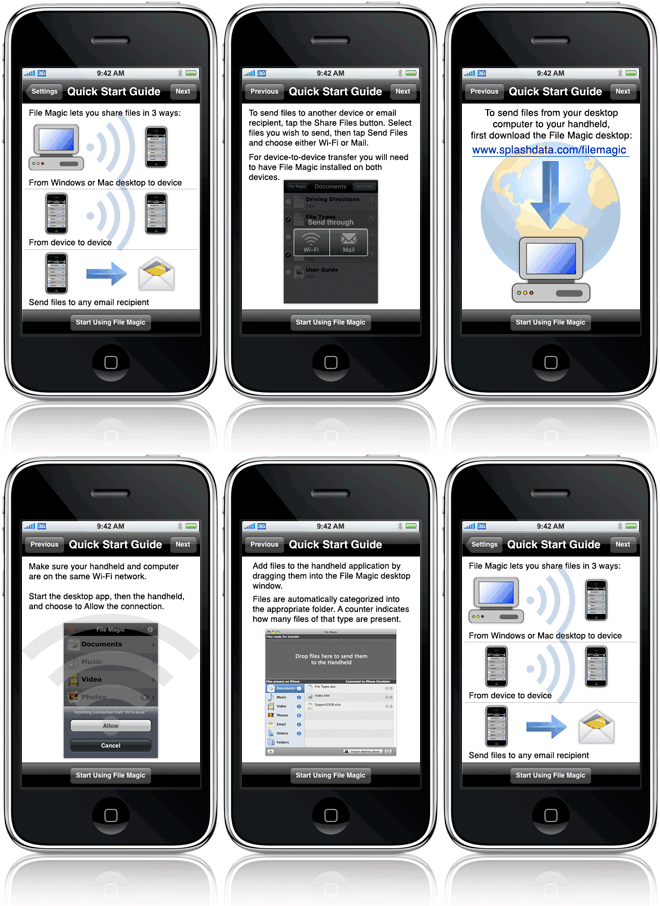
- Launch File Magic on the desktop and the
handheld. The handheld application will ask you
to allow the connection.
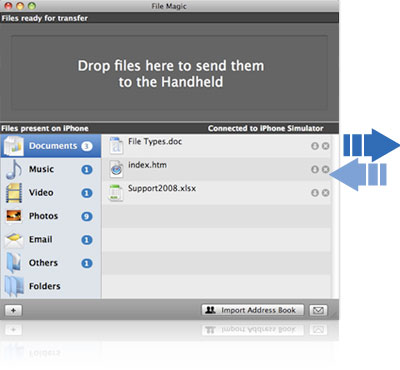
- Drag and drop any file into
the File Magic desktop and it will be transferred
over Wi-Fi to the device. You will see the progress
of the transfer on both the desktop and handheld
applications.
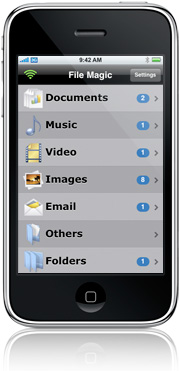
- Tap the folder, then the file you
wish to view on the handheld.
**NEW in version 2.0***
- Device-to-device file transfer (File Magic running
on both devices; on same Wi-Fi network)
- Email files as attachments from File Magic on
the device
- Option to set a password to protect File Magic
access
Bonus Features:
- Import your address book to a text file on the
desktop to back it up
- Create emails on the desktop and sync to the iPhone
application for easy email typing when your desktop
is offline. |

Supported
File Types
Documents
- .doc and .docx (Microsoft Word)
- .htm and .html (web pages)
- .pdf (Preview and Adobe Acrobat)
- .ppt and .pptx (Microsoft PowerPoint)
- .txt and .rtf (text & rich text)
- .xls and .xlsx (Microsoft Excel)
Music
- Non-DRM files only (no copy protection)
- .mp3
- .aac
- .wav
|
Video
- .m4v - Open a video in QuickTime (7.5 or later);
Go to File > Export > Movie to iPhone. Then
drag the resulting m4v file into File Magic.
Images
- .jpg and .jpeg
- .gif
- .png
- .tiff
|
Apple, the Apple logo, iPod, and iTunes are trademarks
of Apple Inc., registered in the U.S. and other countries. iPhone is
a trademark of Apple Inc.
|
|
Supported Platforms

| > |
iPhone OS 2.1 or later |
| > |
iPod touch OS 2.1 or later |
Desktop


| > |
Mac OS 10.4.11 or later |
|
|